New! Render PlantUML diagrams directly inside GitHub
with our official browser extension —
No server. No tokens. No tracking. Zero permissions but clipboard. —
Try it out and let us know what you think!
Activity diagram
 Edit in Dokuwiki
 Edit in Asciidoc
 Edit in Markdown
if, repeat, and fork to express control flow. The diagram is generated for you.
- Text in, diagram out. Describe the flow top to bottom, branches and loops included.
- Reads top to bottom. The order in your text is the order in your diagram.
- Easy to restructure. Reordering steps or adding a branch is a text edit, not a redraw.
 Simple action
Activities label starts with : and ends with ;.
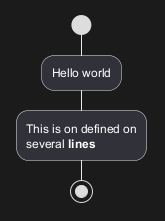
Text formatting can be done using creole wiki syntax.
They are implicitly linked in their definition order.
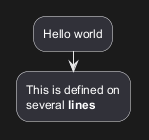
Other simple action (defined as a list)
Simple action list separated by -
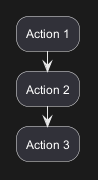
Simple action list separated by *
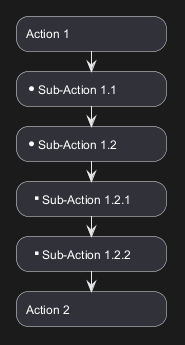
With one level
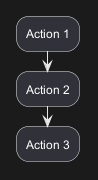
With several levels
Start/Stop/End
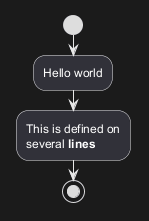
You can use start and stop keywords to denote the
beginning and the end of a diagram.
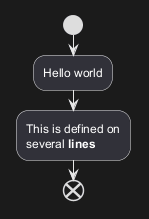
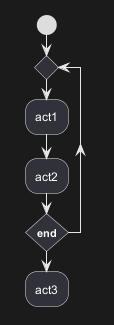
end keyword.
Conditional [if, then, else, endif]
You can use if, then, else and endif keywords to put tests in your diagram.
Labels can be provided using parentheses.
The 3 syntaxes are possible:
if (...) then (...) ... [else (...) ...] endif
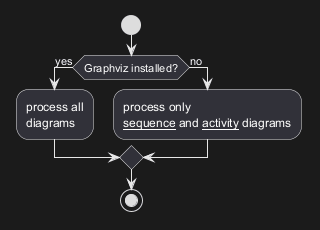
if (...) is (...) then ... [else (...) ...] endif
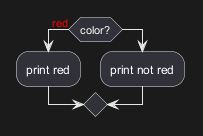
if (...) equals (...) then ... [else (...) ...] endif
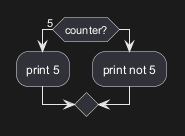
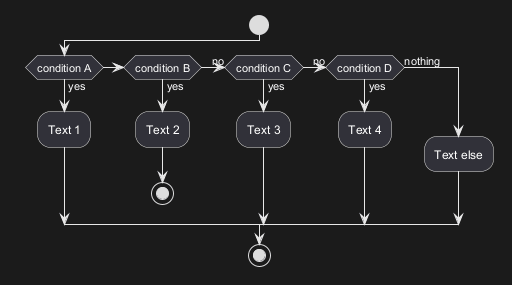
Several tests (horizontal mode)
You can use theelseif keyword to have several tests (by default, it is the horizontal mode):
Several tests (vertical mode)
You can use the command!pragma useVerticalIf on to have the tests in vertical mode:
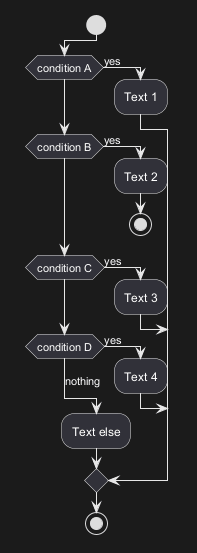
-P command-line option to specify the pragma:
java -jar plantuml.jar -PuseVerticalIf=on
[Refs. QA-3931, GH-582]
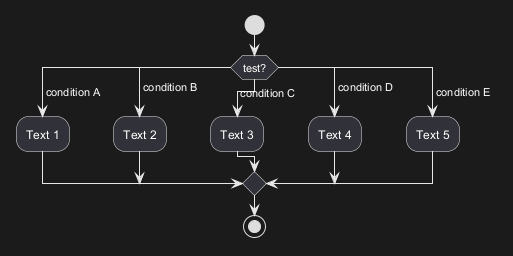
Switch and case [switch, case, endswitch]
You can use switch, case and endswitch keywords to put switch in your diagram.
Labels can be provided using parentheses.
Conditional with stop on an action [kill, detach]
You can stop action on a if loop.
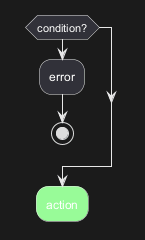
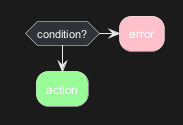
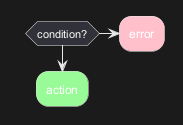
kill or detach keyword:
kill
detach
Repeat loop
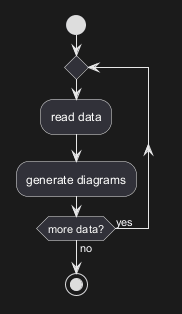
Simple repeat loop
You can userepeat and repeat while keywords to have repeat loops.
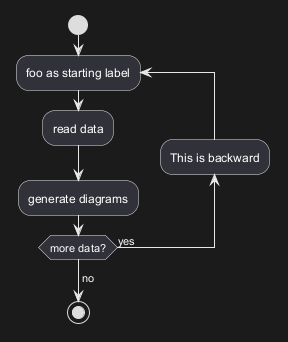
Repeat loop with repeat action and backward action
It is also possible to use a full action asrepeat target and insert an action in the return path using the backward keyword.
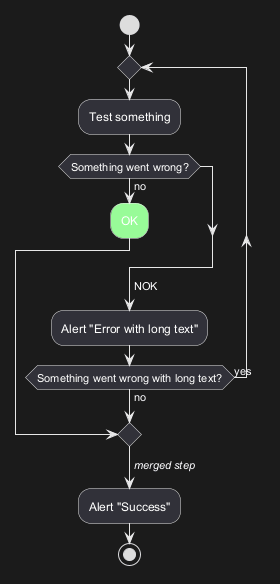
Break on a repeat loop [break]
You can use the break keyword after an action on a loop.
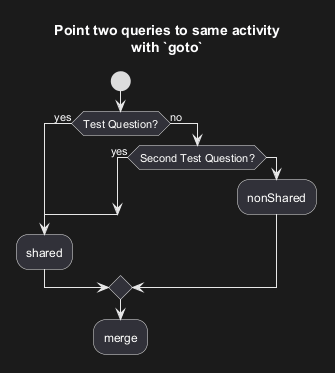
Goto and Label Processing [label, goto]
⚠ It is currently only experimental 🚧
You can use label and goto keywords to denote goto processing, with:
label <label_name>goto <label_name>
While loop
Simple while loop
You can usewhile and endwhile keywords to have while loop.
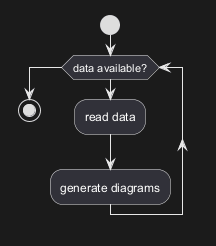
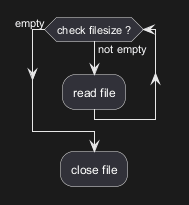
endwhile keyword, or using the is keyword.
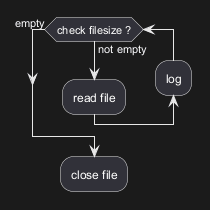
While loop with backward action
It is also possible to insert an action in the return path using thebackward keyword.
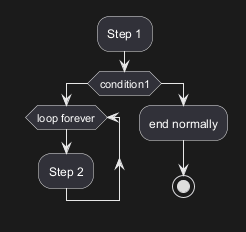
Infinite while loop
If you are usingdetach to form an infinite while loop, then you will want to also hide the partial arrow that results using -[hidden]->
Parallel processing [fork, fork again, end fork, end merge]
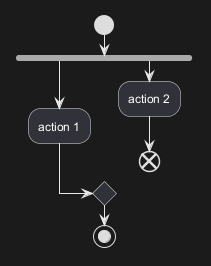
You can use fork, fork again and end fork or end merge keywords to denote parallel processing.
Simple fork
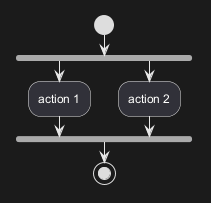
fork with end merge
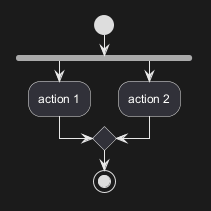
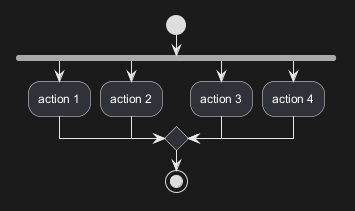
Label on end fork (or UML joinspec):
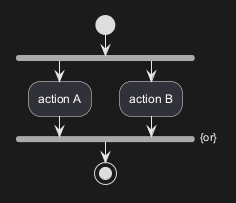
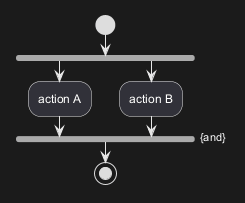
Other example
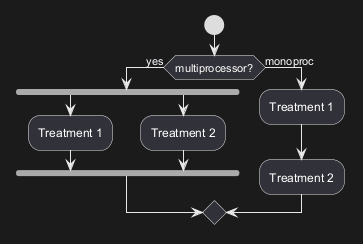
Split processing
Split
You can usesplit, split again and end split keywords to denote split processing.
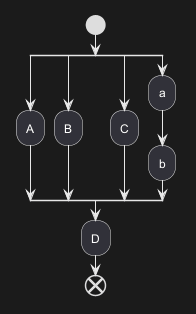
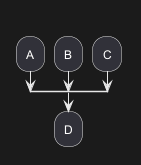
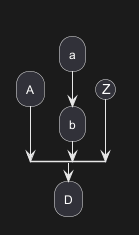
Input split (multi-start)
You can usehidden arrows to make an input split (multi-start):
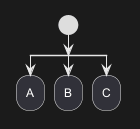
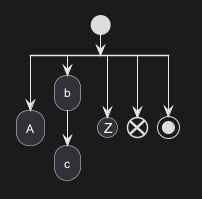
Output split (multi-end)
You can usekill or detach to make an output split (multi-end):
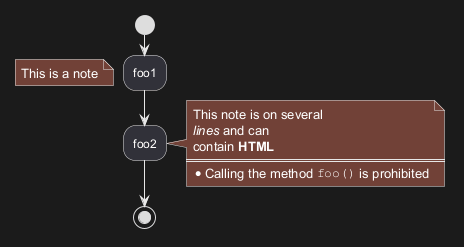
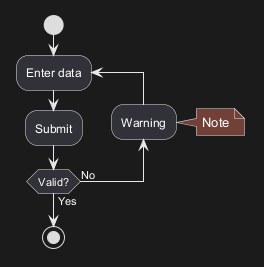
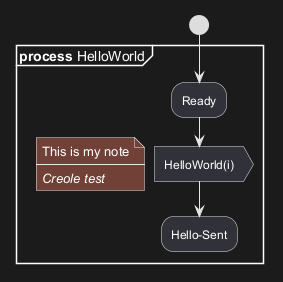
Notes
Text formatting can be done using creole wiki syntax.
A note can be floating, using floating keyword.
Colors
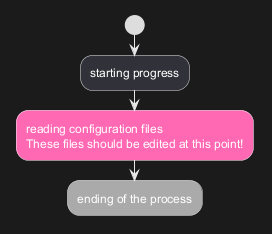
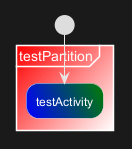
You can specify a color for some activities.
Lines without arrows
You can use skinparam ArrowHeadColor none in order to connect activities using lines only, without arrows.
Arrows
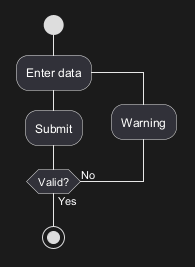
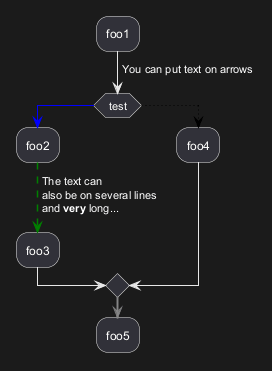
Using the -> notation, you can add texts to arrow, and change
their color.
It's also possible to have dotted, dashed, bold or hidden arrows.
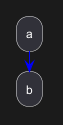
Simple colored arrow [link]
You can use simple colored arrow with the link keyword.
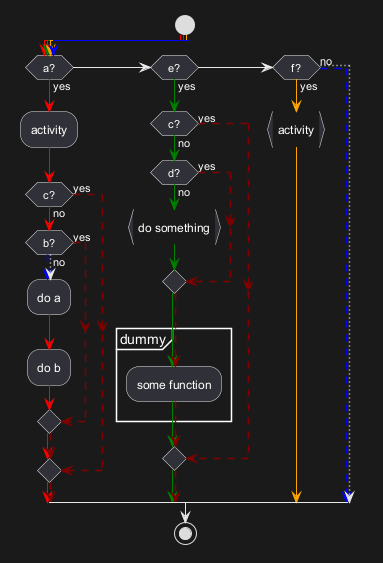
Multiple colored arrow
You can use multiple colored arrow.
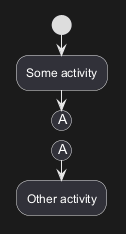
Connector (or Circle)
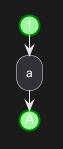
You can use parentheses to denote connector.
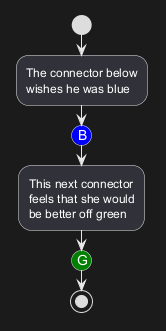
Color on connector
You can add color on connector.
Grouping or partition
Group
You can group activity together by defining group: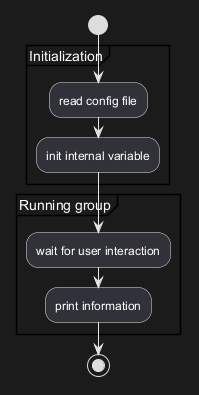
Partition
You can group activity together by defining partition: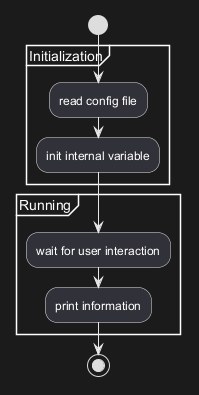
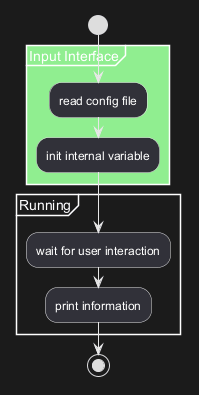
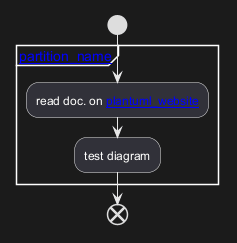
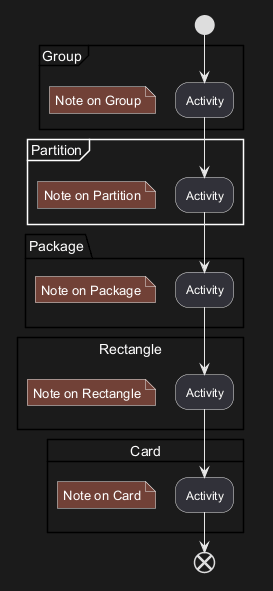
Group, Partition, Package, Rectangle or Card
You can group activity together by defining:- group;
- partition;
- package;
- rectangle;
- card.
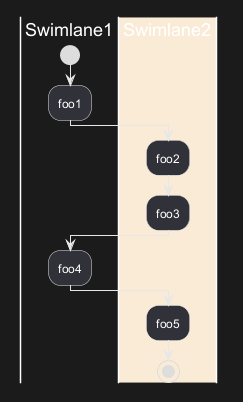
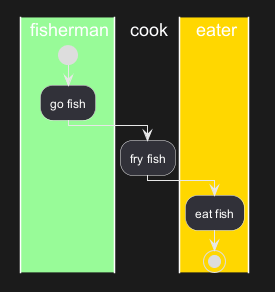
Swimlanes
Using pipe |, you can define swimlanes.
It's also possible to change swimlanes color.
if conditional or repeat or while loop within swimlanes.
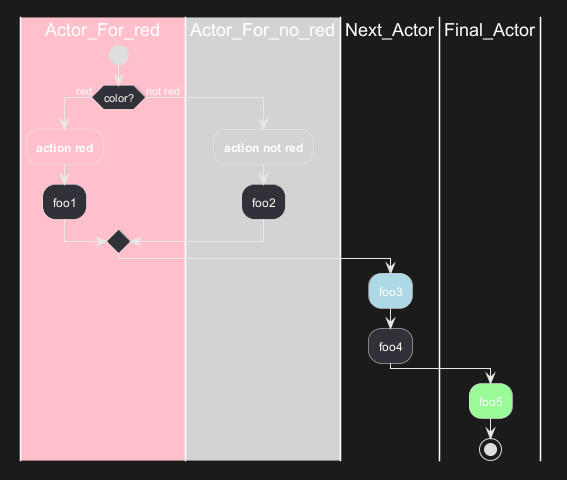
alias with swimlanes, with this syntax:
|[#<color>|]<swimlane_alias>| <swimlane_title>
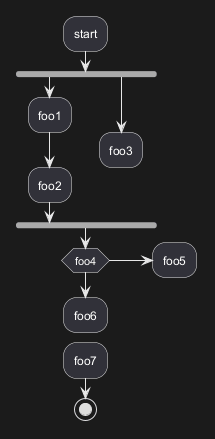
Detach or kill [detach, kill]
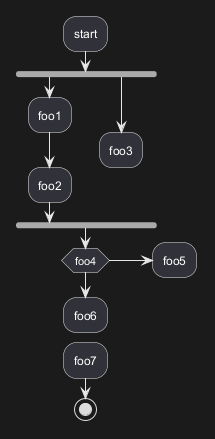
It's possible to remove an arrow using the detach or kill keyword:
detach
kill
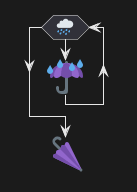
Emoji as action (with icon stereotype)
You can use emoji as action, with the stereotype <<icon>>:
SDL (Specification and Description Language) (with SDL sterotype)
Table of SDL Shape Name
| Name | Stereotype syntax | Deprecated syntax |
| Input |
<<input>>
|
<
|
| Output |
<<output>>
|
>
|
| Procedure |
<<procedure>>
|
|
|
| Load |
<<load>>
|
\
|
| Save |
<<save>>
|
/
|
| Continuous |
<<continuous>>
|
}
|
| Task |
<<task>>
|
]
|
| Object |
<<object>>
|
]
|
SDL using stereotype (Current official form)
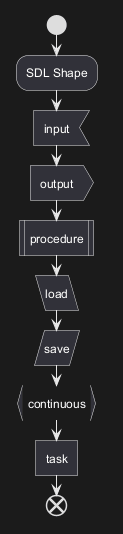
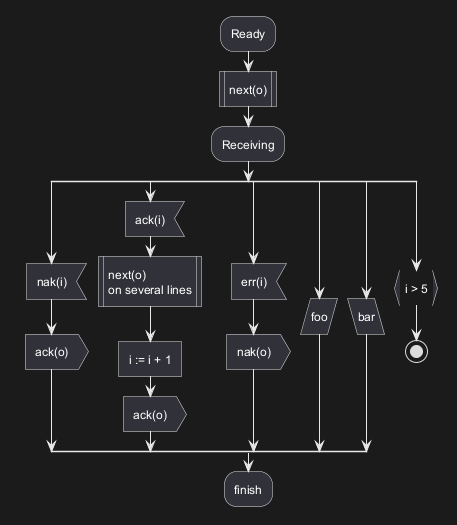
UML (Unified Modeling Language) Shape (with UML stereotype)
Table of UML Shape Name
| Name | Stereotype syntax |
| ObjectNode |
<<object>>
|
|
ObjectNode typed by signal |
<<objectSignal>> or <<object-signal>>
|
|
AcceptEventAction without TimeEvent trigger |
<<acceptEvent>> or <<accept-event>>
|
|
AcceptEventAction with TimeEvent trigger |
<<timeEvent>> or <<time-event>>
|
|
SendSignalAction SendObjectAction with signal type |
<<sendSignal>> or <<send-signal>>
|
| Trigger |
<<trigger>>
|
UML Shape Example using Stereotype
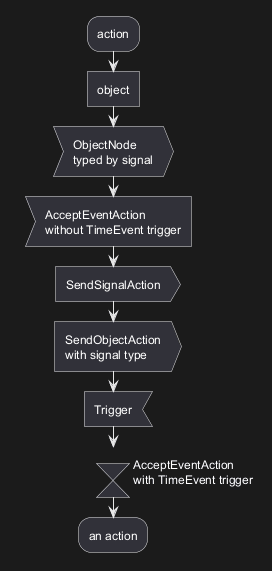
Complete example
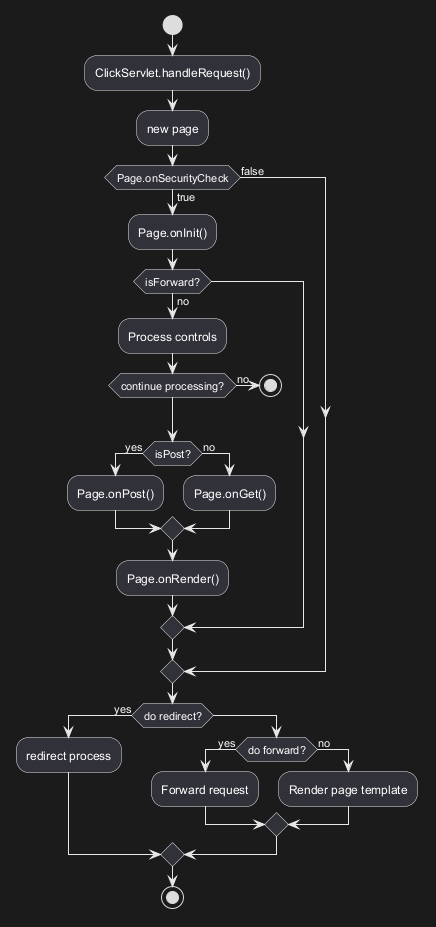
Condition Style
Inside style (by default)
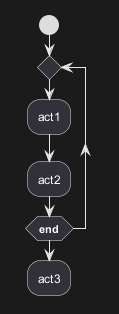
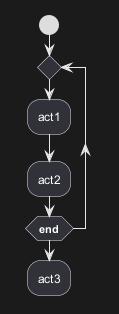
Diamond style
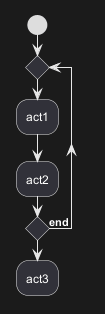
InsideDiamond (or Foo1) style
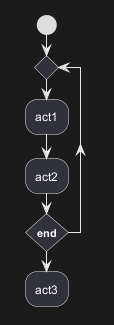
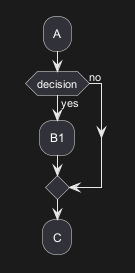
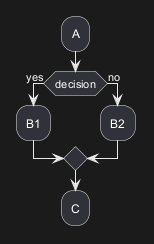
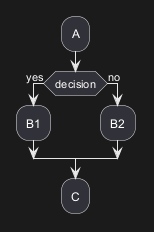
Condition End Style
Diamond style (by default)
- With one branch
- With two branches (
B1,B2)
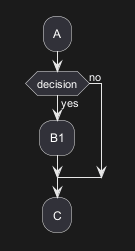
Horizontal line (hline) style
- With one branch
- With two branches (
B1,B2)
Using (global) style
Without style (by default)
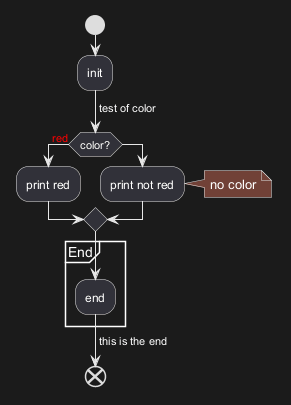
With style
You can use style to change rendering of elements.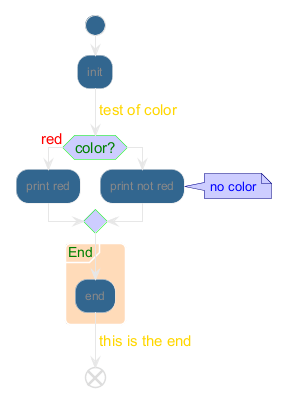
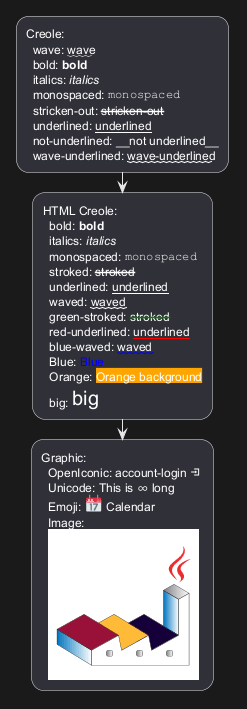
Creole on Activity
You can use Creole or HTML Creole on Activity diagram: