





New! Render PlantUML diagrams directly inside GitHub
with our official browser extension —
No server. No tokens. No tracking. Zero permissions but clipboard. —
Try it out and let us know what you think!
Preprocessing
 Edit in Dokuwiki
 Edit in Asciidoc
 Edit in Markdown
# has been changed to the exclamation mark !.
 Variable definition [=, ?=]
Although this is not mandatory, we highly suggest that variable names start with a $.
There are three types of data:
- Integer number (int);
- String (str) - these must be surrounded by single quote or double quote;
- JSON (JSON) - either JSON Array or JSON Object or JSON value created by
%str2json.
global keyword when defining a variable.
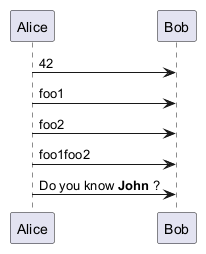
!$a ?= "foo"
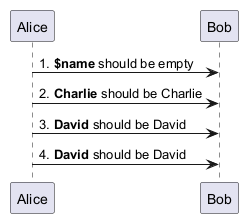
Boolean expression
Boolean representation [0 is false]
There is not real boolean type, but PlantUML use this integer convention:- Integer
0meansfalse - and any non-null number (as
1) or any string (as"1", or even"0") meanstrue.
Boolean operation and operator [&&, ||, ()]
You can use boolean expression, in the test, with :- parenthesis
(); - and operator
&&; - or operator
||.
if test.)
Boolean builtin functions [%false(), %true(), %not(<exp>), %boolval(<exp>)]
For convenience, you can use those boolean builtin functions:%false()%true()%not(<exp>)%boolval(<exp>)
Conditions [!if, !else, !elseif, !endif]
- You can use expression in condition.
- else and elseif are also implemented
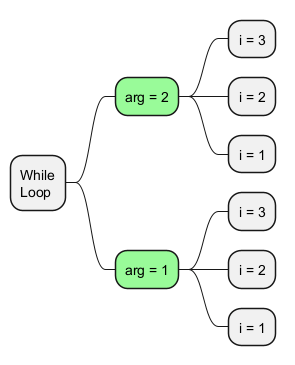
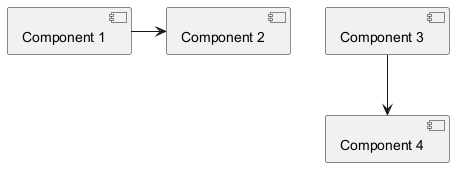
While loop [!while, !endwhile]
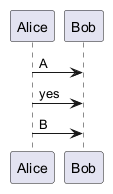
You can use !while and !endwhile keywords to have repeat loops.
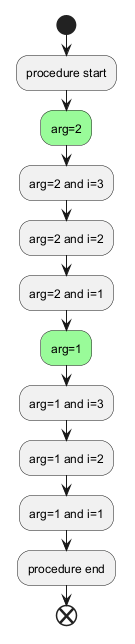
While loop (on Activity diagram)
While loop (on Mindmap diagram)
While loop (on Component/Deployment diagram)
Procedure [!procedure, !endprocedure]
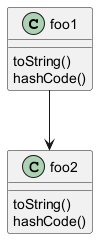
- Procedure names should start with a
$ - Argument names should start with a
$ - Procedures can call other procedures
Return function [!function, !endfunction]
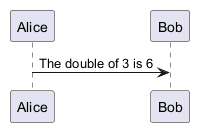
A return function does not output any text.
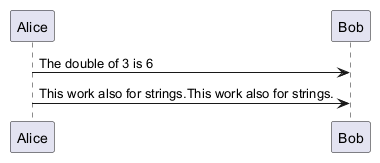
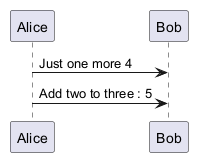
It just define a function that you can call:
- directly in variable definition or in diagram text
- from other return functions
- from procedures
- Function name should start with a
$ - Argument names should start with a
$
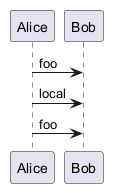
local keyword to create a local variable if ever a global variable exists with the same name.
Default argument value
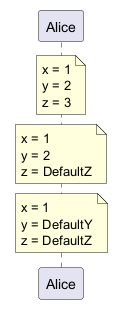
In both procedure and return functions, you can define default values for arguments.
Unquoted procedure or function [!unquoted]
By default, you have to put quotes when you call a function or a procedure.
It is possible to use the unquoted keyword to indicate that a function or a procedure does not require quotes for its arguments.
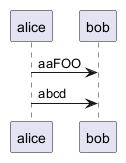
Keywords arguments
Like in Python, you can use keywords arguments :
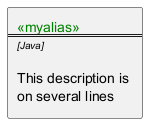
Including files or URL [!include, !include_many, !include_once]
Use the !include directive to include file in your diagram. Using URL, you can also include file from Internet/Intranet. Protected Internet resources can also be accessed, this is described in URL authentication.
Imagine you have the very same class that appears in many
diagrams. Instead of duplicating the description of this class, you can
define a file that contains the description.
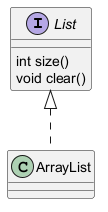
interface List
List : int size()
List : void clear()
The file
List.iuml can be included in many diagrams, and
any modification in this file will change all diagrams that include it.
You can also put several @startuml/@enduml text block in an included file and then specify which block
you want to include adding !0 where 0 is the block number. The !0 notation denotes the first diagram.
For example, if you use !include foo.txt!1, the second @startuml/@enduml block
within foo.txt will be included.
You can also put an id to some @startuml/@enduml text block in an included file using
@startuml(id=MY_OWN_ID) syntax and then include the block adding !MY_OWN_ID when including the file,
so using something like !include foo.txt!MY_OWN_ID.
By default, a file can only be included once. You can use !include_many instead of !include if you want to include some file several times. Note that there is also a !include_once directive that raises an error if a file is included several times.
Including Subpart [!startsub, !endsub, !includesub]
You can also use !startsub NAME and !endsub to indicate sections of text to include from other files using !includesub. For example:
file1.puml:
@startuml

A -> A : stuff1
!startsub BASIC
B -> B : stuff2
!endsub
C -> C : stuff3
!startsub BASIC
D -> D : stuff4
!endsub
@enduml
file1.puml would be rendered exactly as if it were:
@startuml

A -> A : stuff1
B -> B : stuff2
C -> C : stuff3
D -> D : stuff4
@enduml
However, this would also allow you to have another file2.puml like this: file2.puml
@startuml

title this contains only B and D
!includesub file1.puml!BASIC
@enduml
This file would be rendered exactly as if:
@startuml

title this contains only B and D
B -> B : stuff2
D -> D : stuff4
@enduml
Builtin functions [%]
Some functions are defined by default. Their name starts by %
| Name | Description | Example | Return |
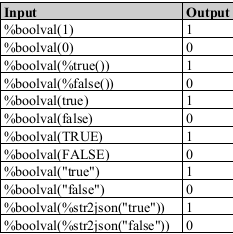
%boolval
|
Convert a value (String, Integer, JSON value) to boolean value |
%boolval("true")
|
1
|
%breakline
|
Return a newline in the PlantUML source code. See more documention on the newline page |
%breakline()
|
a newline in the PlantUML source code |
%call_user_func
|
Invoke a return function by its name with given arguments. |
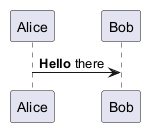
%call_user_func("bold", "Hello")
|
Depends on the called function |
%chr
|
Return a character from a give Unicode value |
%chr(65)
|
A
|
%darken
|
Return a darken color of a given color with some ratio |
%darken("red", 20)
|
#CC0000
|
%date
|
Retrieve current date. You can provide an optional format for the date |
%date("yyyy.MM.dd' at 'HH:mm")
|
current date |
| You can provide another optional time (on epoch format) |
%date("YYYY-MM-dd", %now() + 1*24*3600)
|
tomorrow date | |
%dec2hex
|
Return the hexadecimal string (String) of a decimal value (Int) |
%dec2hex(12)
|
c
|
%dirpath
|
Retrieve current dirpath |
%dirpath()
|
current path |
%feature
|
Check if some feature is available in the current PlantUML running version |
%feature("theme")
|
true
|
%false
|
Return always false
|
%false()
|
false
|
%file_exists
|
Check if a file exists on the local filesystem |
%file_exists("c:/foo/dummy.txt")
|
true if the file exists
|
%filename
|
Retrieve current filename |
%filename()
|
current filename |
%function_exists
|
Check if a function exists |
%function_exists("$some_function")
|
true if the function has been defined
|
%get_all_theme
|
Retreive a JSON Array of all PlantUML theme |
%get_all_theme()
|
["_none_", "amiga", ..., "vibrant"]
|
%get_all_stdlib
|
Retreive a JSON Array of all PlantUML stdlib names |
%get_all_stdlib()
|
["archimate", "aws", ..., "tupadr3"]
|
%get_all_stdlib
|
Retreive a JSON Object of all PlantUML stdlib information |
%get_all_stdlib(detailed)
|
a JSON Object with stdlib information |
%get_variable_value
|
Retrieve some variable value |
%get_variable_value("$my_variable")
|
the value of the variable |
%getenv
|
Retrieve environment variable value |
%getenv("OS")
|
the value of OS variable
|
%hex2dec
|
Return the decimal value (Int) of a hexadecimal string (String) |
%hex2dec("d") or %hex2dec(d)
|
13
|
%hsl_color
|
Return the RGBa color from a HSL color %hsl_color(h, s, l) or %hsl_color(h, s, l, a)
|
%hsl_color(120, 100, 50)
|
#00FF00
|
%intval
|
Convert a String to Int |
%intval("42")
|
42
|
%invoke_procedure
|
Dynamically invoke a procedure by its name, passing optional arguments to the called procedure. |
%invoke_procedure("$go", "hello from Bob...")
|
Depends on the invoked procedure |
%is_dark
|
Check if a color is a dark one |
%is_dark("#000000")
|
true
|
%is_light
|
Check if a color is a light one |
%is_light("#000000")
|
false
|
%lighten
|
Return a lighten color of a given color with some ratio |
%lighten("red", 20)
|
#CC3333
|
%load_json
|
Load JSON data from local file or external URL |
%load_json("http://localhost:7778/management/health")
|
JSON data |
%lower
|
Return a lowercase string |
%lower("Hello")
|
hello in that example
|
%mod
|
Return the remainder of division of two integers (modulo division) |
%mod(10, 3)
|
1
|
%n
|
Return a newline in rendered text, shortcut to %newline . See more documention on the newline page
|
%n()
|
a newline |
%newline
|
Return a newline in rendered text, similar to %n . See more documention on the newline page
|
%newline()
|
a newline |
%not
|
Return the logical negation of an expression |
%not(2+2==4)
|
false in that example
|
%now
|
Return the current epoch time |
%now()
|
1685547132 in that example (when updating the doc.)
|
%ord
|
Return a Unicode value from a given character |
%ord("A")
|
65
|
%lighten
|
Return a lighten color of a given color with some ratio |
%lighten("red", 20)
|
#CC3333
|
%random()
|
Return randomly the integer 0 or 1
|
%random()
|
0 or 1
|
%random(n)
|
Return randomly an interger between 0 and n - 1
|
%random(5)
|
3
|
%random(min, max)
|
Return randomly an interger between min and max - 1
|
%random(7, 15)
|
13
|
%reverse_color
|
Reverse a color using RGB |
%reverse_color("#FF7700")
|
#0088FF
|
%reverse_hsluv_color
|
Reverse a color using HSLuv |
%reverse_hsluv_color("#FF7700")
|
#602800
|
%set_variable_value
|
Set a global variable |
%set_variable_value("$my_variable", "some_value")
|
an empty string |
%size
|
Return the size of any string or JSON structure |
%size("foo")
|
3 in the example
|
%splitstr
|
Split a string into an array based on a specified delimiter. |
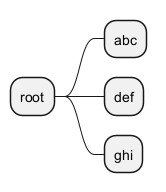
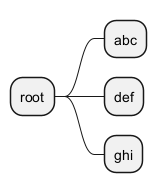
%splitstr("abc~def~ghi", "~")
|
["abc", "def", "ghi"]
|
%splitstr_regex
|
Split a string into an array based on a specified REGEX. |
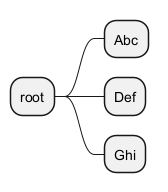
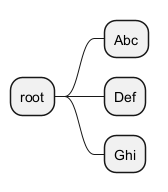
%splitstr_regex("AbcDefGhi", "(?=[A-Z])")
|
["Abc", "Def", "Ghi"]
|
%string
|
Convert an expression to String |
%string(1 + 2)
|
3 in the example
|
%strlen
|
Calculate the length of a String |
%strlen("foo")
|
3 in the example
|
%strpos
|
Search a substring in a string |
%strpos("abcdef", "ef")
|
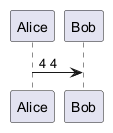
4 (position of ef)
|
%substr
|
Extract a substring. Takes 2 or 3 arguments |
%substr("abcdef", 3, 2)
|
"de" in the example
|
%true
|
Return always true
|
%true()
|
true
|
%upper
|
Return an uppercase string |
%upper("Hello")
|
HELLO in that example
|
%variable_exists
|
Check if a variable exists |
%variable_exists("$my_variable")
|
true if the variable has been defined exists
|
%version
|
Return PlantUML current version |
%version()
|
1.2020.8 for example
|
Logging [!log]
You can use !log to add some log output when generating the diagram. This has no impact at all on the diagram itself. However, those logs are printed in the command line's output stream. This could be useful for debug purpose.
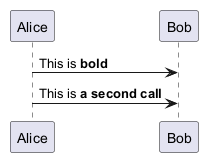
Memory dump [!dump_memory]
You can use !dump_memory to dump the full content of the memory when generating the diagram. An optional string can be put after !dump_memory. This has no impact at all on the diagram itself. This could be useful for debug purpose.
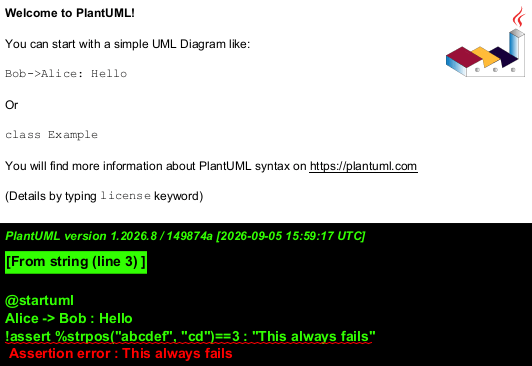
Assertion [!assert]
You can put assertions in your diagram.
Building custom library [!import, !include]
It's possible to package a set of included files into a single .zip or .jar archive.
This single zip/jar can then be imported into your diagram using !import directive.
Once the library has been imported, you can !include file from this single zip/jar.
Example:
@startuml

!import /path/to/customLibrary.zip
' This just adds "customLibrary.zip" in the search path

!include myFolder/myFile.iuml
' Assuming that myFolder/myFile.iuml is located somewhere
' either inside "customLibrary.zip" or on the local filesystem

...
Search path
You can specify the java property plantuml.include.path in the command line.
For example:
java -Dplantuml.include.path="c:/mydir" -jar plantuml.jar atest1.txt
Note the this -D option has to put before the -jar option. -D options after the -jar option will be used to define constants within plantuml preprocessor.
Argument concatenation [##]
It is possible to append text to a macro argument using the ## syntax.
Dynamic invocation [%invoke_procedure(), %call_user_func()]
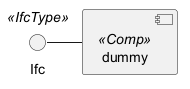
You can dynamically invoke a procedure using the special %invoke_procedure() procedure.
This procedure takes as first argument the name of the actual procedure to be called. The optional following arguments are copied to the called procedure.
For example, you can have:
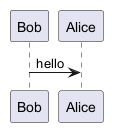
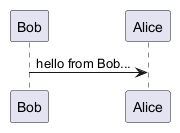
%call_user_func() :
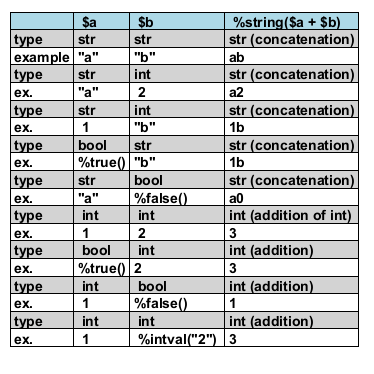
Evaluation of addition depending of data types [+]
Evaluation of $a + $b depending of type of $a or $b
Preprocessing JSON
You can extend the functionality of the current Preprocessing with JSON Preprocessing features:
- JSON Variable definition
- Access to JSON data
- Loop over JSON array
Including theme [!theme]
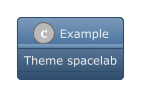
Use the !theme directive to change the default theme of your diagram.
Migration notes
The current preprocessor is an update from some legacy preprocessor.
Even if some legacy features are still supported with the actual preprocessor, you should not use them any more (they might be removed in some long term future).
- You should not use
!defineand!definelonganymore. Use!function,!procedureor variable definition instead. !defineshould be replaced by return!function!definelongshould be replaced by!procedure.!includenow allows multiple inclusions : you don't have to use!include_manyanymore!includenow accepts a URL, so you don't need!includeurl- Some features (like
%date%) have been replaced by builtin functions (for example%date()) - When calling a legacy
!definelongmacro with no arguments, you do have to use parenthesis. You have to usemy_own_definelong()becausemy_own_definelongwithout parenthesis is not recognized by the new preprocessor.
%splitstr builtin function
%splitstr_regex builtin function
%get_all_theme builtin function
You can use the %get_all_theme() builtin function to retreive a JSON array of all PlantUML theme.

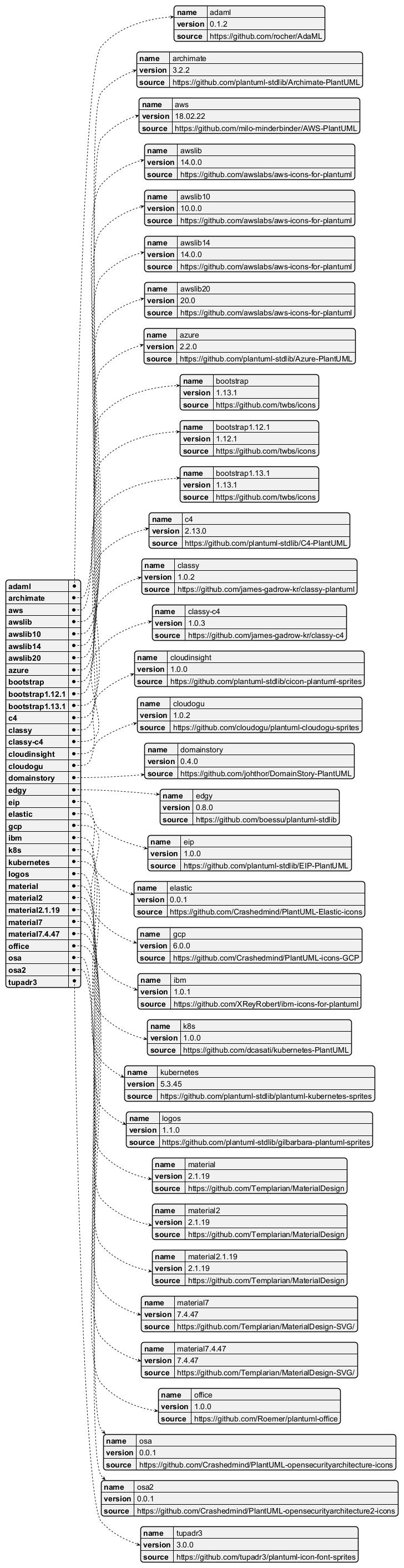
%get_all_stdlib builtin function
Compact version (only standard library name)
You can use the%get_all_stdlib() builtin function to retreive a JSON array of all PlantUML stdlib names.

Detailed version (with version and source)
With whatever parameter, you can use%get_all_stdlib(detailed) to retreive a JSON object of all PlantUML stdlib.
%random builtin function
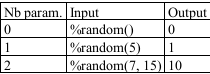
You can use the %random builtin function to retreive a random integer.
| Nb param. | Input | Output |
| 0 | %random() | returns 0 or 1 |
| 1 | %random(n) | returns an interger between 0 and n - 1 |
| 2 | %random(min, max) | returns an interger between min and max - 1 |
%boolval builtin function
You can use the %boolval builtin function to manage boolean value.
Escape function
Some character are specials, then we can escape them with some escape functions:
| Escape function | Output |
%dollar()
|
$
|
%percent()
|
%
|
%backslash()
|
\
|