PlantUML の公式標準ライブラリ(stdlib) のガイドへようこそ。ここでは、PlantUML のすべての公式リリースに含まれ、より豊かなダイアグラム作成体験を促進する、この不可欠なリソースを掘り下げます。
標準ライブラリの概要
標準ライブラリはファイルやリソースのリポジトリで、PlantUML をより使いやすくするために常に更新されています。
コミュニティからの貢献
ライブラリのコンテンツの大部分は、サードパーティの貢献者によって惜しみなく提供されています。私たちは、ライブラリを充実させる上で極めて重要な役割を果たした、彼らの貴重な貢献に対して、心から感謝の意を表します。
私たちは、標準ライブラリが提供する豊富なリソースを掘り下げ、彼らのダイアグラム作成経験を向上させるだけでなく、この共同作業の努力に貢献し、その一端を担うことができるよう、ユーザーを奨励しています。
特別なダイアグラムを使用して、標準ライブラリのフォルダ一覧を得ることができます:
コマンドラインからjava -jar plantuml.jar -stdlibを実行することでも同じ一覧を得ることができます。
java -jar plantuml.jar -extractstdlibを実行すると、標準ライブラリのすべてのソースを取り出すことができます。すべてのファイルはstdlibフォルダに出力されます。
公式のPlantUMLリリースのビルドに使用されるソースは、https://github.com/plantuml/plantuml-stdlibにホストされています。ライブラリのアップデートや関連するライブラリを追加したい場合は、プルリクエストを作成することができます。
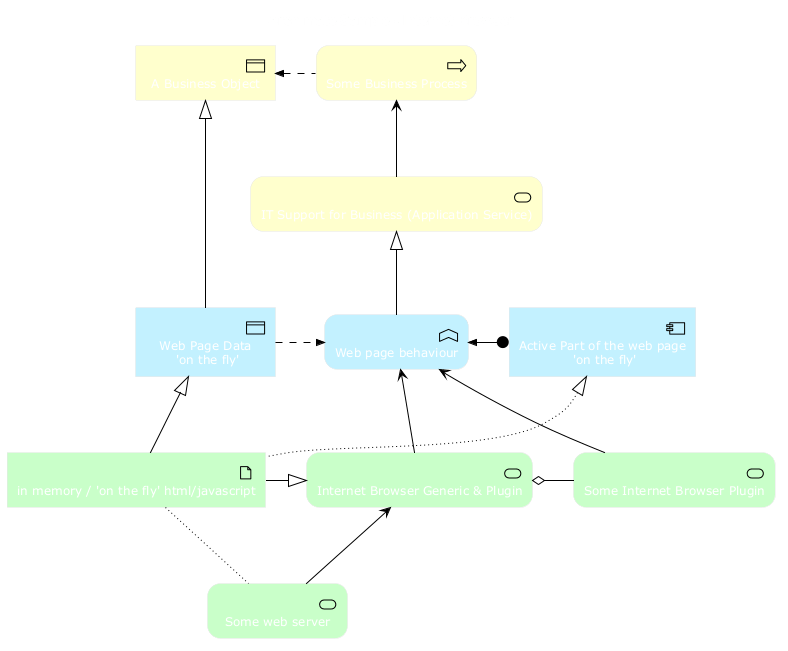
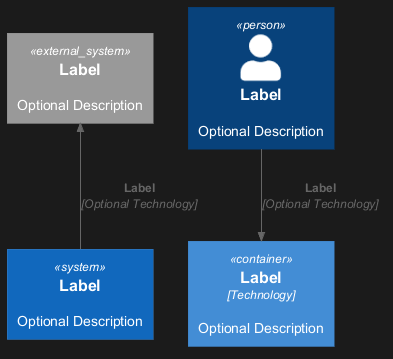
このリポジトリにはArchiMateのPlantUMLマクロ、および、ArchiMateの図を簡単に一貫性をもって作成するためのその他のインクルードが含まれています。
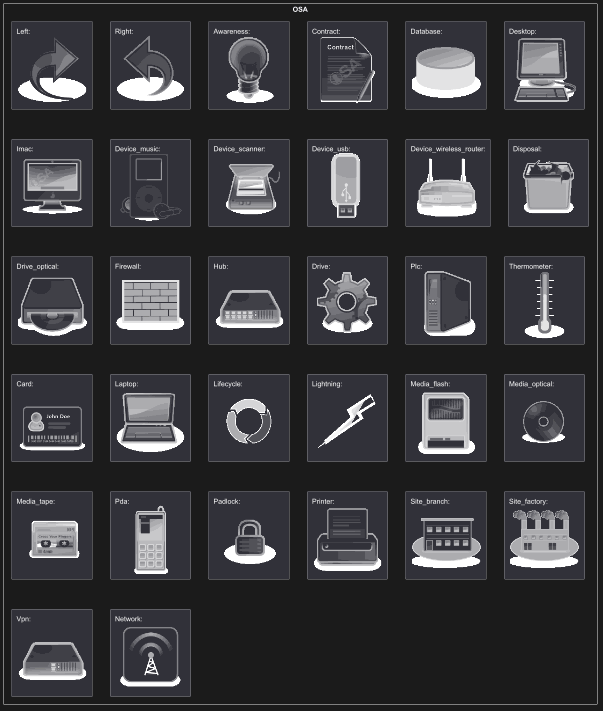
List possible sprites
You can list all possible sprites for Archimate using the following diagram:
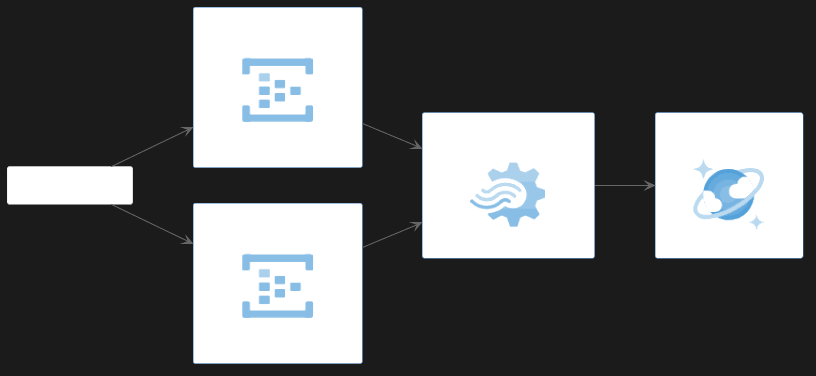
Amazon Labs AWSライブラリは、PlantUMLのスプライト、マクロ、その他のAmazon Web Services(AWS)向けサービスとリソースを提供します。
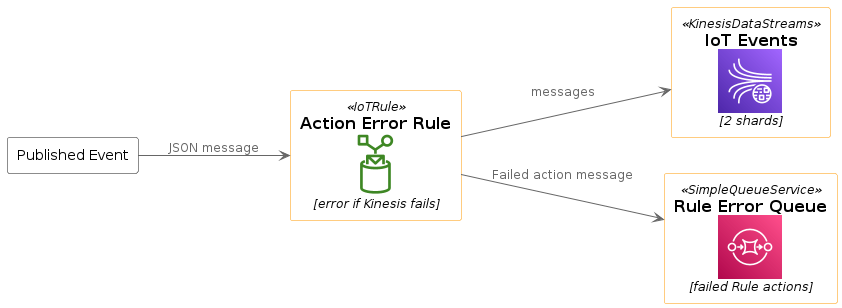
AWSコンポーネントを含むPlantUMLダイアグラムを作成するために使用します。すべての要素は公式のAWS Architecture Iconsから生成されていて、PlantUMLやC4 modelと組み合わせることで、設計、デプロイ、トポロジーをコードとして伝えるための素晴らしい手段となります。
@startuml
!include <awslib/AWSCommon>
!include <awslib/InternetOfThings/IoTRule>
!include <awslib/Analytics/KinesisDataStreams>
!include <awslib/ApplicationIntegration/SimpleQueueService>

left to right direction

agent "Published Event" as event #fff

IoTRule(iotRule, "Action Error Rule", "error if Kinesis fails")
KinesisDataStreams(eventStream, "IoT Events", "2 shards")
SimpleQueueService(errorQueue, "Rule Error Queue", "failed Rule actions")

event --> iotRule : JSON message
iotRule --> eventStream : messages
iotRule --> errorQueue : Failed action message
@enduml
AzureライブラリはMicrosoft Azureのアイコンで構成されています。
スプライトを含むファイルをインクルードして使用します(例:!include <azure/Analytics/AzureEventHub>.
インポートすると、通常と同じようにスプライトを使用できます。 <$sprite_name>
AzureCommon.puml ファイルをインクルードすることもできます:!include <azure/AzureCommon>
AzureCommon.puml をインポートすると,NAME_OF_SPRITE(parameters...) マクロを使用することができます.
使用例.
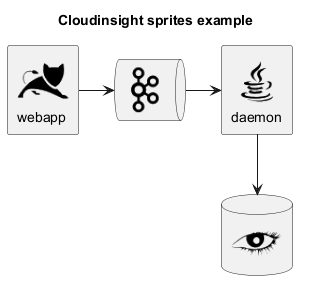
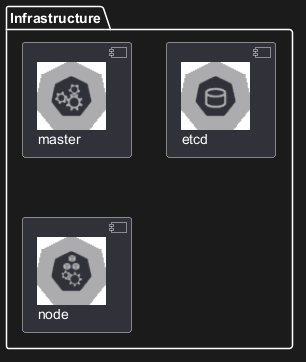
このリポジトリには、Cloudinsightのアイコンから生成したPlantUMLスプライトがあります。PlantUMLの図の中で簡単に使用することができ、一般的なテクノロジーの美しいビジュアル表現を行うことができます。
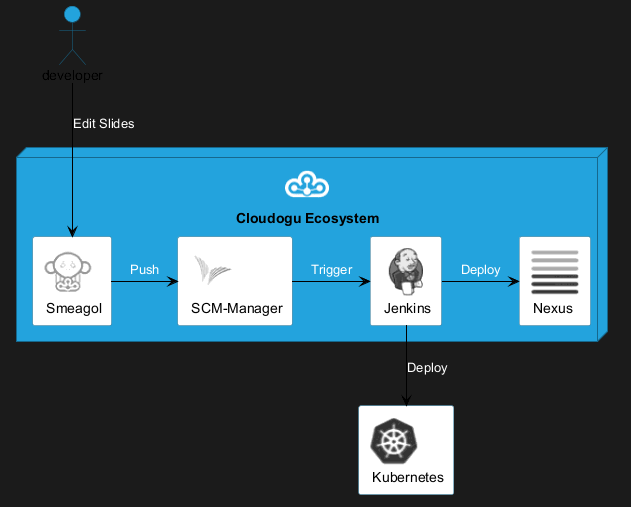
Cloudoguライブラリは、PlantUMLのスプライト、マクロ、その他のCloudogu向けサービスとリソースを提供します。
すべてのcloudoguスプライト
利用可能なすべてのcloudoguスプライトはplantuml-cloudogu-spritesを確認してください。
“To become whole, enterprises must embrace a holistic, collaborative way of design:
transcending silos, combining perspectives, looking for connections instead of divisions. An enterprise designed together works better together.”
– Bard Papegaaij, Wolfgang Goebl and Milan Guenther, curators of EDGY 23
EDGY helps to visualize, communicate, and co-design enterprises across different disciplines.
EDGY is a design language that provides guidelines for enterprises to create effective and efficient digital products, services, and experiences. It was developed by the EDGY team with input from industry experts, researchers, and practitioners in order to address common challenges faced when developing complex systems.
The foundation of Edgy is based on four key principles: simplicity, modularity, scalability, and adaptability. These principles are designed to help enterprises create products that can be easily maintained over time while also being able to scale up or down as needed. Additionally, the language provides a set of guidelines for designing user interfaces, data models, business processes, and more, making it an essential toolkit for any organization looking to improve their offerings.
Basic Elements and Interconnections
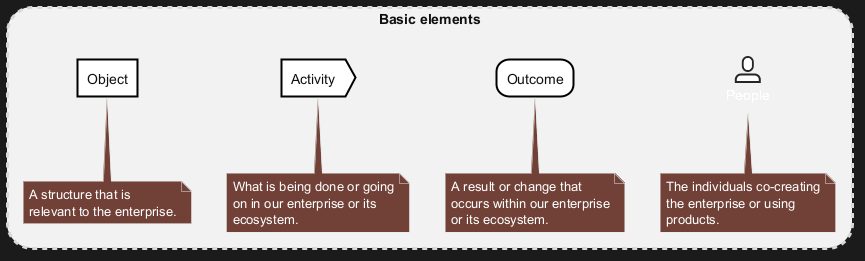
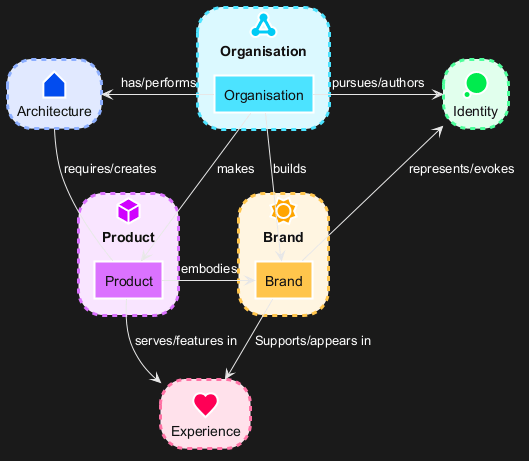
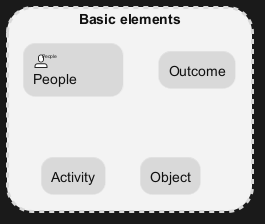
EDGY is an open-source language for enterprise design that uses only four base elements: people, activity, object, and outcome. These elements can be specialized into facet and intersection elements, which describe the enterprise from different perspectives: identity, architecture, and experience.
Elements
The basic syntax of an element or a facet is:
$element/facet("label", [identifier], [lightColor])
|
Parameter
|
Description
|
|
label
|
Mandatory: label of the element.
|
|
identifier
|
Dependant: Identifies the element (for creating relations). Optional if you don't link them to other elemets/facets.
|
|
lightColor
|
Optional: 0 sets the standared color. 1 sets a lighter color. As default, facets do have lighter colors than elements.
|
Relationships
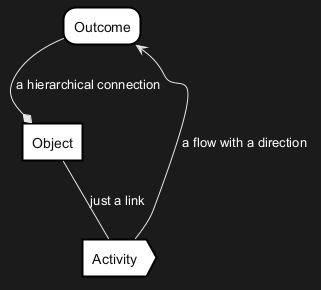
The elements (or facets) can be connected with three types of relationships: link, flow and tree.
$link/flow/tree(fromIdentifier, toIdentifier, ["Description"])
|
Parameter
|
Description
|
|
fromIdentifier
|
Mandatory: Identifies the starting element of a relation.
|
|
toIdentifier
|
Mandatory: Identifies the ending element of a relation.
|
|
label
|
Optional: label of the element.
|
All relations can have a direction hint as a suffix (Up/Down/Left/Right). See examples in the chapter "Facets". While it does often help to give PlantUML (basically GraphViz) a direction hint, it not always helps. if you don't get the exact result you expect: don't waste too much lifetime on it.
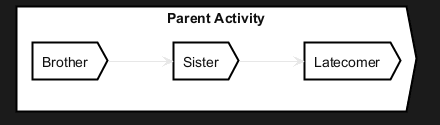
There are quite some hierarchical linking in edgy. Or maps. So it is also possible to group/nesting elements:
Facets
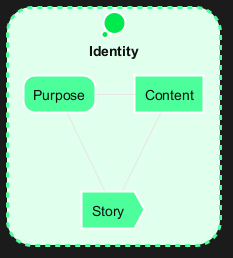
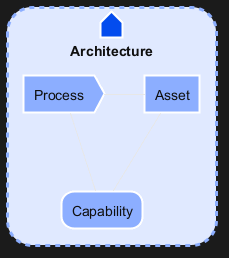
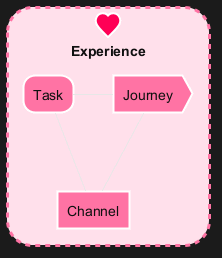
A facet is a perspective that relates to any enterprise, featuring a set of questions that an enterprise needs to answer in order to achieve a coherent design. There are three facets in EDGY: Identity, Architecture, and Experience. Each facet references five enterprise elements: three facet elements, and two intersection elements at the overlap with the neighbouring facets.
Identity
The Identity Facet describes why the enterprise exists and what it stands for.
Architecture
The Architecture facet is about the structures and processes that enable the enterprise to operate and deliver.
Experience
The Experience Facet is about the impact that the enterprise has on people and their lives through its interactions.
Intersections
Intersections are lenses that connect facets and disciplines, such as organisation, product, and brand.
Alternative visual styling
Finally, there is also an alternative representation that focuses on rectangles with stereotypes. The approach described above is 100% compatible. It can therefore be activated with a simple swap from !include <edgy/edgy> to !include <edgy/edgy2>.
This can sometimes be useful if the people involved do not immediately know the color codes and concrete meanings of the EDGY elements by heart. Also color-blind people can benefit from this ;-)
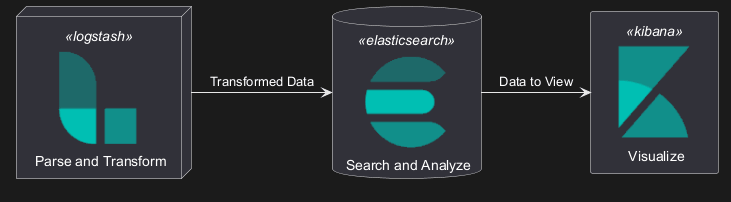
Elasticライブラリには、Elasticのアイコンが含まれています。
これは、AWSおよびAzureライブラリと類似のものです(同じツールを使用して作られました)。
スプライトの含まれるファイルをインポートして使います。例: !include elastic/elastic_search/elastic_search>
インポートされると、通常のスプライトと同様、<$sprite_name>のように使用することができます。
!include <elastic/common>のようにしてcommon.pumlをインクルードすると、そこに定義されたヘルパーマクロを使用することができます。common.pumlをインポートすると、NAME_OF_SPRITE(parameters...)マクロを使用することができます。
使用例:
すべてのElasticスプライト
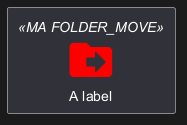
このライブラリには、Googleやその他の作成者によって作られた、フリーのマテリアルスタイルのアイコンが含まれています。
スプライトの含まれるファイルをインポートして使います。例: !include <material/ma_folder_move>
インポートされると、通常のスプライトと同様、<$ma_sprite_name>のように使用することができます。このライブラリでは、他のライブラリの同じ名前のスプライトとの衝突を避けるために、スプライト名にプレフィックスma_を付ける必要があることに注意してください。
!include <material/common>のようにしてcommon.pumlをインクルードすると、そこに定義されたヘルパーマクロを使用することができます。common.pumlをインポートすると、MA_NAME_OF_SPRITE(parameters...)マクロを使用することができます。
こちらもプレフィックスMA_を付ける必要があることに注意してください。
使用例:
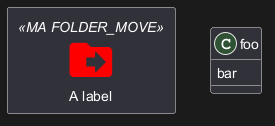
注意:
例えば次のように、クラスとともにrectangleを加えようとした場合のように、スプライトマクロをほかの要素と一緒に使う場合にシンタックスエラーが発生することがあります。
そのような場合には、マクロの後ろに{と}を加えて空のrectangleを作るようにしてください。
使用例:
WARNING
This translation need to be updated. WARNING
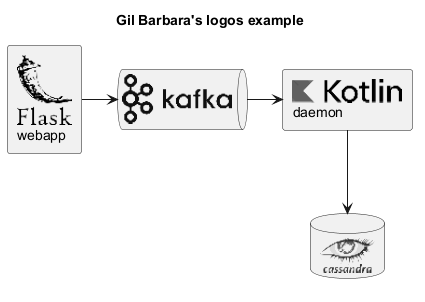
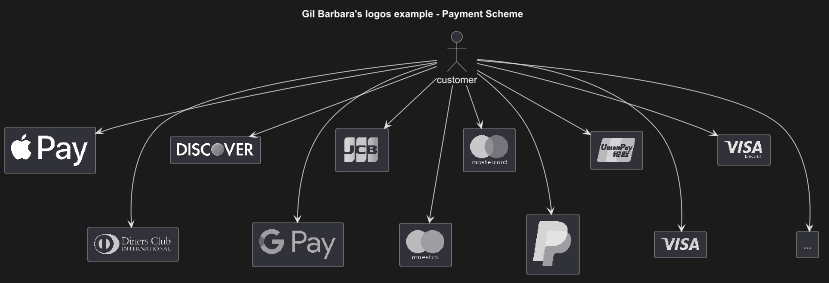
このリポジトリにはGil Barbara's logosから生成されたPlantUMLのスプライトが含まれています。素晴らしい視覚資料を、PlantUMLの図の中で簡単に使用することができます。
スプライト(*.puml)と色付きのPNGアイコンが利用可能です。名前に色名が含まれていたとしてもスプライトはすべてモノクロです(ファイルが自動生成されているためです)。マクロ(以下の例を参照)を使ってスプライトに色を付けるか、フルカラーのPNGを使用することができます。スプライト、PNG、マクロの使い方は以下の例を参照してください。
使用例:
このライブラリにはDeviconsやFont Awesomeを含む、いくつかのアイコンライブラリが含まれています。
スプライトの含まれるファイルをインポートして使います。例: !include <font-awesome/align_center>
インポートされると、通常のスプライトと同様、<$sprite_name>のように使用することができます。
!include <font-awesome/common>のようにしてcommon.pumlをインクルードすると、そこに定義されたヘルパーマクロを使用することができます。common.pumlをインポートすると、NAME_OF_SPRITE(parameters...)マクロを使用することができます。
使用例:
警告: このライブラリは非推奨となる予定です。
代わりに<awslib>の使用をお勧めします(上記参照)
AWSライブラリにはAmazon AWSのアイコンが含まれています。それぞれ2つの異なるサイズ(normalとlarge)のアイコンがあります。
スプライトの含まれるファイルをインポートして使います。例: !include <aws/Storage/AmazonS3/AmazonS3>.
インポートされると、通常のスプライトと同様、<$sprite_name>のように使用することができます。
!include <aws/common>のようにしてcommon.pumlをインクルードすると、そこに定義されたヘルパーマクロを使用することができます。common.pumlをインポートすると、NAME_OF_SPRITE(parameters...)マクロを使用することができます。
使用例:






 Edit in Dokuwiki
 Edit in Asciidoc
 Edit in Markdown
 標準ライブラリの一覧