





New! Render PlantUML diagrams directly inside GitHub
with our official browser extension —
No server. No tokens. No tracking. Zero permissions but clipboard. —
Try it out and let us know what you think!
颜色
 Edit in Dokuwiki
 Edit in Asciidoc
 Edit in Markdown
- 以及 标准名称 或 CSS名称
- 使用 HEX 值 (6 个数字):
#RRGGBB - 使用 HEX 值 (8 个数字) 和 字母合成 或 RGBA 媒体颜色:
#RRGGBBaa - 使用 短 HEX 值 (3 个值):
#RGB
transparent 同样可以使用, 同义词是 transparent black (#00000000).
甘特图示例:

WARNING
This translation need to be updated. WARNING
 颜色渐变
颜色渐变
您也可以在背景中使用颜色渐变,语法如下:两个颜色名称之间用:
-
|, -
/, -
\, 或 -
-
Automatic Font Color
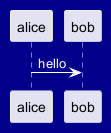
PlantUML allows dynamic font color selection using the #? syntax. The system automatically chooses between two colors based on the current background color to ensure optimal contrast and readability.
How It Works:
- The
#?prefix defines a conditional color choice. - Two colors follow, separated by a colon.
- The engine selects one based on the background:
- If the background is light, it uses the first color.
- If the background is dark, it uses the second color to maintain contrast.
#?black:white syntax ensures that text remains legible across different background colors.
Color with preprocessing
You can manipulate color with Preprocessing, and the Builtin functions:
| Name | Description | Example | Return |
%darken
|
Return a darken color of a given color with some ratio |
%darken("red", 20)
|
#CC0000
|
%is_dark
|
Check if a color is a dark one |
%is_dark("#000000")
|
true
|
%is_light
|
Check if a color is a light one |
%is_light("#000000")
|
false
|
%lighten
|
Return a lighten color of a given color with some ratio |
%lighten("red", 20)
|
#CC3333
|
%reverse_color
|
Reverse a color using RGB |
%reverse_color("#FF7700")
|
#0088FF
|
%reverse_hsluv_color
|
Reverse a color using HSLuv |
%reverse_hsluv_color("#FF7700")
|
#602800
|
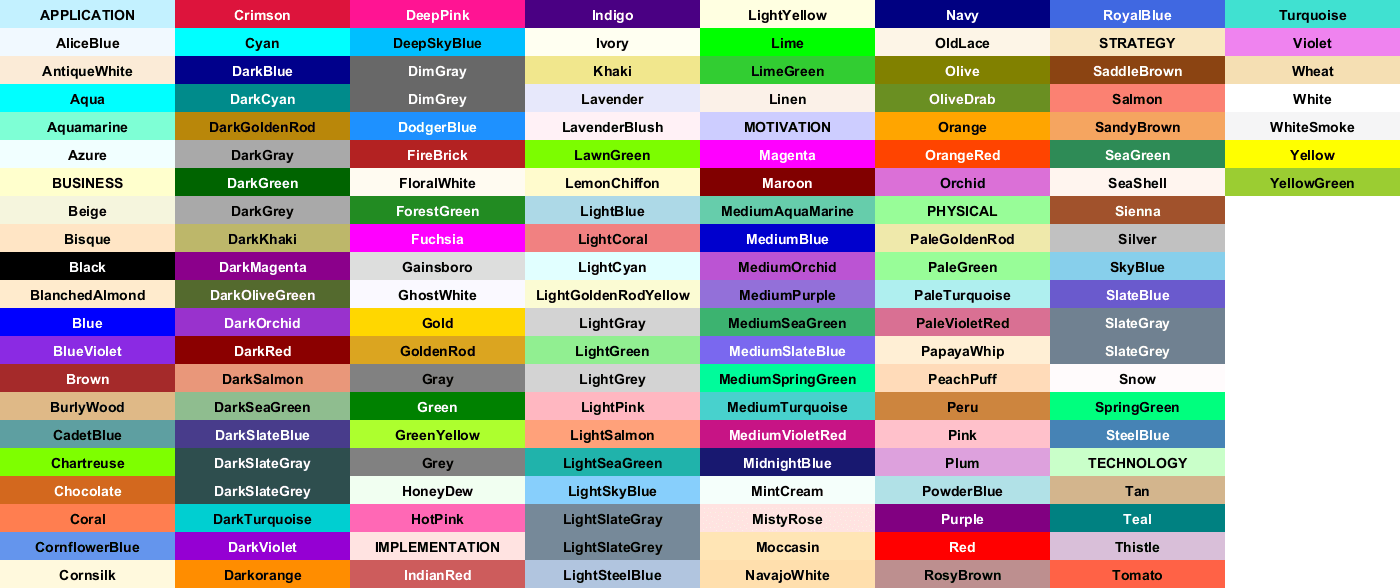
查看PlantUML中的颜色
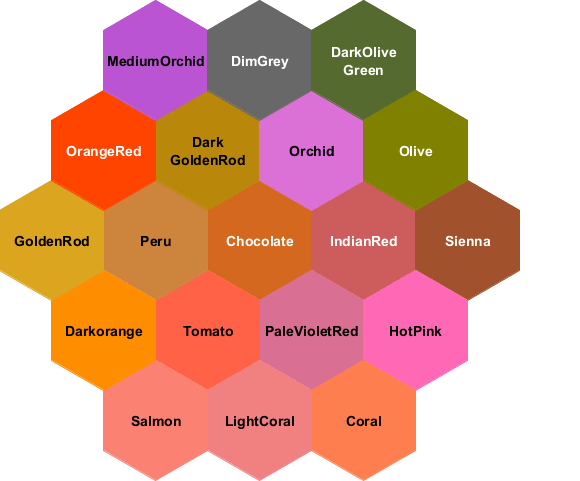
一个用户最近创建了一个图片来显示PlantUML使用的所有名字的颜色。(我们顺便感谢他!)
所以我们增加了一个新的功能,用一个特殊的图示描述来打印所有这些颜色:
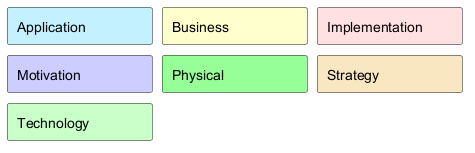
Archimate 颜色
Archimate使用反映节点目的的颜色名称:
- 应用
- 业务
- 实施
- 动机
- 物理
- 战略
- 技术
PlantUML colors
