





New! Render PlantUML diagrams directly inside GitHub
with our official browser extension —
No server. No tokens. No tracking. Zero permissions but clipboard. —
Try it out and let us know what you think!
Preprocessing JSON
 Edit in Dokuwiki
 Edit in Asciidoc
 Edit in Markdown
 Variable definition
In addition to existing type (String and Integer), you can define JSON variable.
JSON Object
Example:
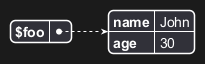
!$foo = { "name": "John", "age" : 30 }
Corresponding of this structure:
JSON Array
Example:
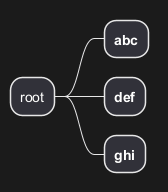
!$foo = ["abc", "def", "ghi"]
Corresponding of this structure:

Access to data
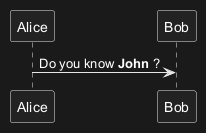
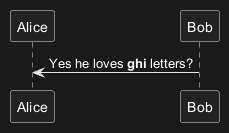
Once a variable is defined, you can access to its members:
Complex structures
It is possible to use complex JSON objects and arrays, with definition on several lines.
Let $foo, the structure:
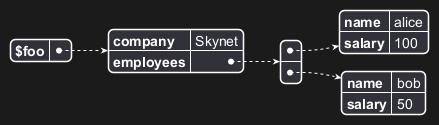
$foo.employees[0].name$foo.employees[0].salary
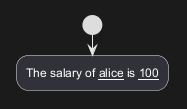
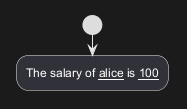
!$attribute_1="name"!$attribute_2="salary"
$foo.employees[0][$attribute_1]$foo.employees[0][$attribute_2]
Loading data
Some standard function provides a way to load JSON object from URL or local files:
!$foo = %load_json("http://foo.net/users/list.json")
!$foo2 = %load_json("myDir/localFile.json")
Available since 1.2021.15
Loop [foreach]
If you define array, you can loop over.
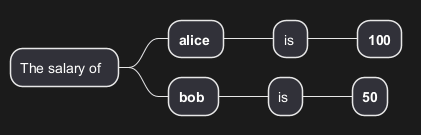
[SW] Some remarks
- for or better foreach ? ->
foreach- It would be nice to also have "break" and "continue"
- It would be nice to also have the for or while loop with a standard variable
Full Example
From a example worked in a forum question, with this JSON structure:
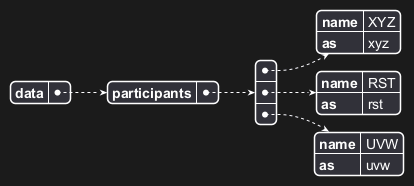
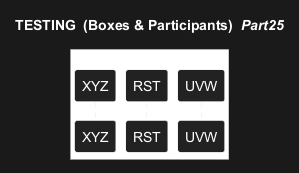
Self-descriptive example
Here is a self-descriptive example:
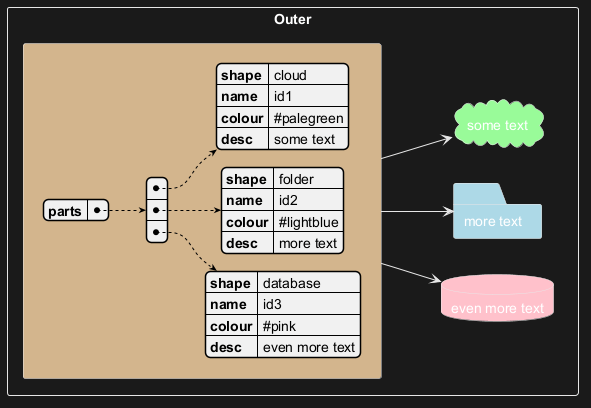
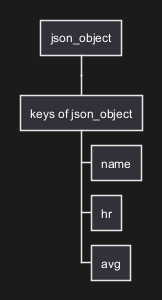
%get_json_keys builtin function
You can use %get_json_keys to get all the keys of one level on a JSON structure.

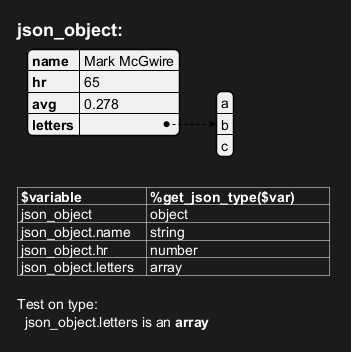
%get_json_type builtin function
You can use %get_json_type to get the type of an element of a JSON structure (returns a string).
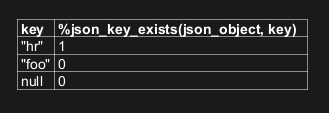
%json_key_exists builtin function
You can use %json_key_exists to know if a key exists on a JSON structure (returns a boolean).
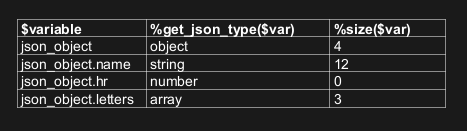
%size builtin function
You can use %size to know the size of different elements on a JSON structure.
For each type here are the return value:
| Type | Return value |
JSON Object
|
the number of pairs it contains |
JSON Array
|
the number of values it contains |
string value
|
the number of characters it contains |
numeric value
|
zero |
true/false/null
|
zero |
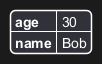
%json_add builtin function
You can use %json_add to add element on an existing JSON structure (returns the final JSON structure).

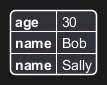
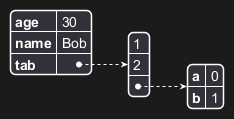
%json_remove builtin function
You can use %json_remove to remove element on an existing JSON structure (returns the final JSON structure).



%json_set builtin function
You can use %json_set to set element on an existing JSON structure (returns the final JSON structure).

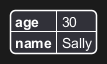
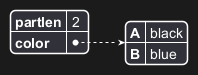
%json_merge builtin function
You can use %json_merge to merge JSON structures (returns the final JSON structure).

%str2json builtin function
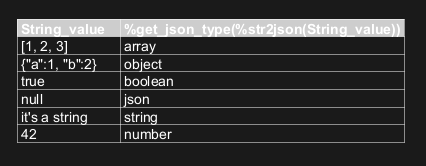
You can use %str2json to transform a string value to a JSON structure.

Here are some example:
🚩 Known issue: Unfortunately, be careful with quote management. Some issues occur when a single quote is contained in a string when the entire string is surrounded by single quote.[Ref. PR-1742]