





New! Render PlantUML diagrams directly inside GitHub
with our official browser extension —
No server. No tokens. No tracking. Zero permissions but clipboard. —
Try it out and let us know what you think!
概述
 Edit in Dokuwiki
 Edit in Asciidoc
 Edit in Markdown
@enduml结束,PlantUML在支持UML同时支持其他图表,既然如此,"@startuml"就没有存在的必要了。
所以,通用规则允许图表描述以@startXYZ开头,以@endXYZ结束,"XYZ"根据图表的类型而改变。
注意,XYZ可以是任何字符串(包括空格)。
这意味着我们鼓励插件开发者,以⚠ On PlantUML, only PNG generation is supported.@start代替@startuml作为标识。
WARNING
This translation need to be updated. WARNING
 Generalisation (of @start/@end tag)
PlantUML now can generate diagrams other than UML. In such cases the usual @startuml does not make sense anymore. So now we allow diagrams start with @startXYZ and finish with @endXYZ, where XYZ can change with the type of diagram and can be any characters (including spaces).
This means that plugin developers are encouraged to change their code to recognizeDITAA diagrams are usually formatted as@startinstead of@startuml.
@startditaa...@endditaa.
Option supported by PlantUML
You can also use some option, after the @startditaa or ditaa keyword:
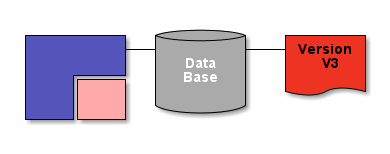
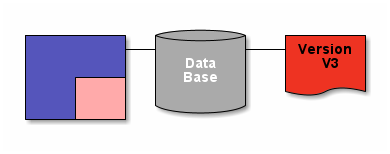
-Eor--no-separationto remove separator-Sor--no-shadowsto remove shadowscale=<XYZ>to scale up or down the diagram
Without option
Remove separator
Remove shadow or scale diagram
Tags
| Tag | Description |
| {c} | Choice or Decision |
| {d} | Document - Symbol representing a document |
| {io} | Input/Output - Symbol representing input/output |
| {mo} | Manual operation |
| {o} | Ellipse |
| {s} | Storage - Symbol representing a form of storage, like a database or a hard disk. |
| {tr} | Trapezoid |
